Emulating a Spirit Box
Mark Honeychurch - 12th October 2026
When Bronwyn told me a couple of days ago that she planned to write about Spirit Boxes, a part of many ghost hunters’ arsenal, I was reminded of the fact that a few years ago I’d started a project to write a browser-based software version of a spirit box. The idea was to stream a handful of internet radio stations, switching between them rapidly to emulate the scanning of a spirit box. However, the project was never finished, and the code had been left in a semi-working state.
Fast forward to the weekend, and I figured that it wouldn’t take too much effort to carry on where I left off and start vibe coding with an AI agent (no, I’m not going to call it a Super Intelligence agent, thank you very much).
For those who aren’t familiar with the concept of “vibe coding”, basically AI for programming/coding has come a long way since it was first introduced about 5 years ago. Early AI helpers would monitor the code you were writing, and would intelligently suggest the next few lines of code that it would guess you were going to type. Since then we’ve moved onto using AI companions that you can chat with and ask to write code for you, and that are able to run command line tools, operate browsers and more. When these new, more advanced tools are used in a very hands-off way, where the human either isn’t able to write software or chooses not to, and instead just instructs the AI on what to do, it’s known as vibe coding.
So, with my AI chat window open, and a desire to create a finished product in a few hours, I started asking AI to do the work I probably should have been doing myself:
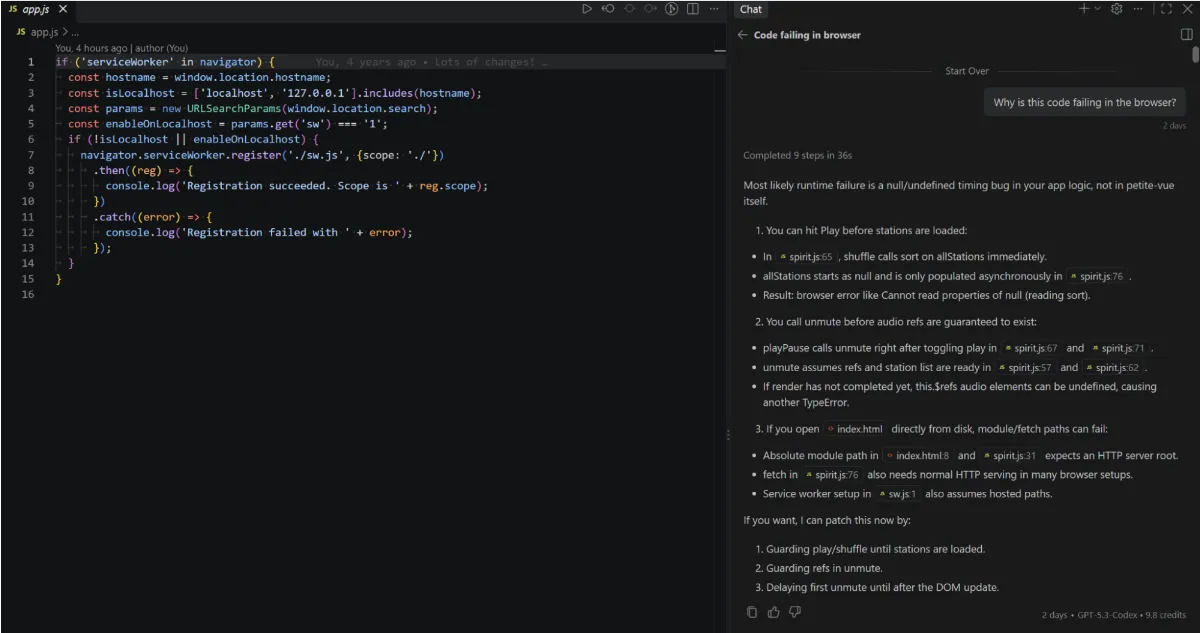
The kinds of requests that you can ask of an AI Agent range from adding features and fixing bugs, to getting the AI to read documentation, re-factor your code (rewrite it in a better way), suggest (and write) new features and create documentation. You can even just paste in an error without any contextual information, and it’ll attempt to find the source of the problem and fix it for you.
To give you a practical example, here’s a series of requests I made of the AI to help improve the part of the code that fetches a list of internet radio stations:
- Is there a better source of internet radio stations I can use - seems like there aren’t many in the list I found.
- Can you read this page and update the code accordingly? https://api.radio-browser.info/
- Would it be possible to skip the stations.json file, and have the frontend get channels from the website directly?
- _Can we remove RADIO_BROWSER_BASES from both js files, as it seems redundant now that you’ve read the documentation and know how to access _api.tcp.radio-browser.info
- Would it make sense to abstract out the radio station API functions to a JS file that both the frontend and the getstations.js file can use?
Once I’d finished reading up on how the original “Frank’s Boxes” worked, getting AI to add new features, and tweaking and re-tweaking the code, I was finally somewhat happy with the end result - even if the code felt a lot more bloated than what I’m used to writing myself. Here’s what the current version looks like:
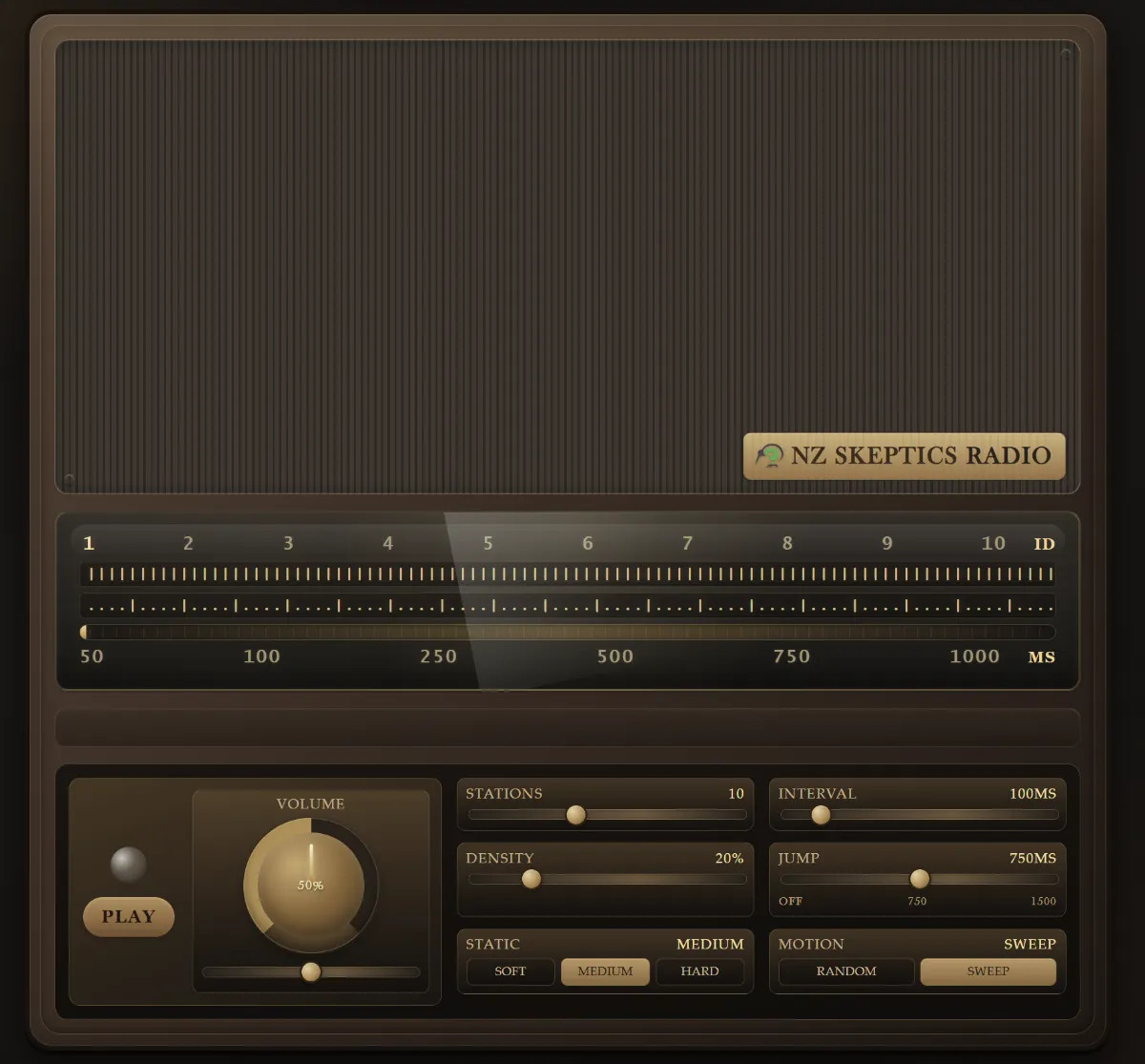
For those who are interested, the source code is on GitHub under the NZ Skeptics’ organisation, and the site is being hosted on GitHub Pages with a custom URL. You can access the radio at:
If you visit that page, just click the Play button (in the bottom left) and the “radio” should start playing a mixture of static and radio stations. You can tweak a few settings, namely:
- Stations - How many radio stations are streamed simultaneously. The higher this setting, the more bandwidth you use, but also the more variety of sounds you’ll get from the radio stations.
- Density - the ratio of radio stations to static. This has been set to 20% by default, so that on average you’ll hear around 4 times as much static as radio snippets. For a real radio this may be even lower than 20%, and can be dialed from 0% (just static) to 100% (always playing a radio station).
- Static - the “texture” of the static, from easy on the ears to harsher sounding.
- Interval - the amount of time each frequency, either static or a radio station, is played before moving on to the next frequency. This can be varied from 50ms to 500ms.
- Jump - the amount of time before the sweep of frequencies jumps to a totally random new frequency and starts sweeping upwards again. This can be set to 1500ms, 750ms or 0ms - at 0ms, the radio only ever jumps when it reaches the upper frequency limit of the radio, at which time it moves down to the lowest frequency.
- Motion - whether to sweep through radio frequencies, moving up by a small frequency change at each interval, or jump to a new random frequency each time.
Of course, there’s no actual frequency band that my emulated radio is scanning through - instead, there’s software that tries to recreate the experience of scanning through frequencies on a radio. A sweeping shift through static will cause the tone of the static to change subtly over time, whereas a jump to a totally new frequency is more likely to cause an abrupt change to the sound of the static. When radio stations play, they also have some static playing simultaneously - a lower volume than when playing pure static, randomly selected to emulate sometimes being partially tuned into a station.
Overall I’m pretty happy with the result (maybe with the exception of how it looks). The aim is for it to emulate Frank’s original spirit boxes, with the settings allowing you to try some of the different ways that he used to make his boxes - with very simple random or sweeping frequency changes at first, and then chunking of short sweeps in some of the later examples. If there are any coders out there who feel like they can improve on this, feel free to fork the code, make changes, and submit a pull request. I can already think of some nice changes, like making the frontend skinnable and having a selector to switch between visual radio styles/models.